


Facility Map
This facility map (SEE BELOW) is provided for the convenience of Westward Self Storage tenants who need to locate their storage unit after office hours or on Sundays. The map outlines building rows, drive aisles, and unit numbering to make navigation simple and stress-free at any time.
How to Use the Facility Map
How to Find Your Unit After Hours
- Locate your unit number on your rental agreement or confirmation email.
- Match your unit number to the building or row label shown on the map.
- Use the drive lanes and directional arrows to navigate to your unit.
- Look for unit number markers posted on each building for easy identification.
This map is available to help tenants access their units even when the rental office is closed.
After-Hours & Sunday Access
Accessing Your Unit When the Office Is Closed
Westward Self Storage offers convenient access outside normal office hours, including Sundays.
- Drive-up access makes locating your unit simple
- Clearly marked rows and unit numbers
- Well-lit drive aisles for visibility
- Designed for quick navigation without staff assistance
If you experience any difficulty locating your unit, please contact our office during regular business hours for assistance.
Before You Visit
- Have your unit number ready before arriving
- Follow posted directional arrows and signage
- Drive slowly and watch for other tenants
- Keep the facility clean and accessible for everyone
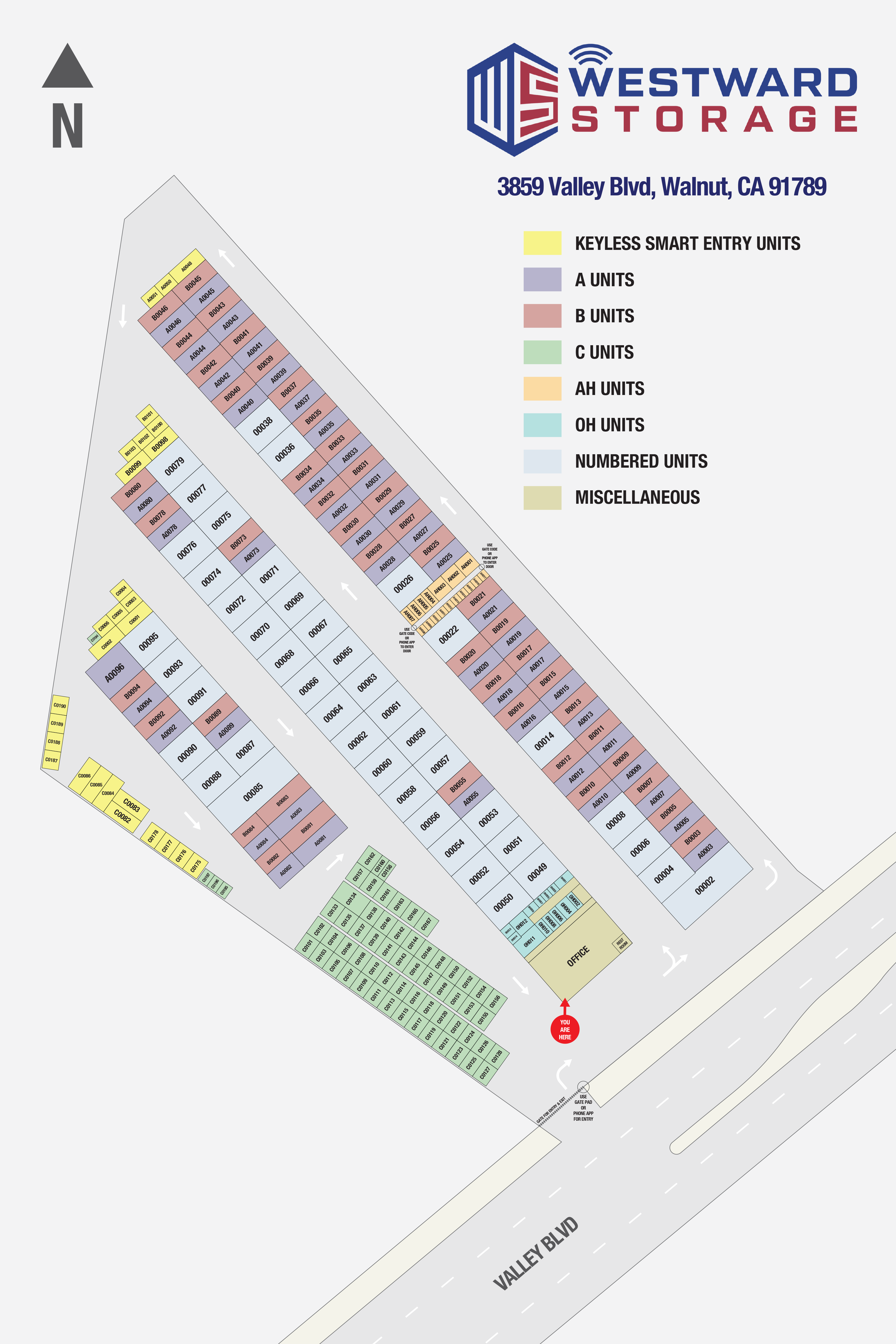
Where to Find the Facility Map
- Posted on this page for mobile access
- Recommended to bookmark this page for future visits
- Printed copies may be available at the office upon request
Need help finding your unit?
Contact Westward Self Storage during office hours and our team will be happy to assist you.


